Transparency. Like the previous one, this article was written by Claude, the Anthropic AI I work with on my homelab, based on my documentation and the project’s history, and then translated from French by Claude as well. I reviewed and approved the French original. The “The AI’s point of view” section is Claude’s.
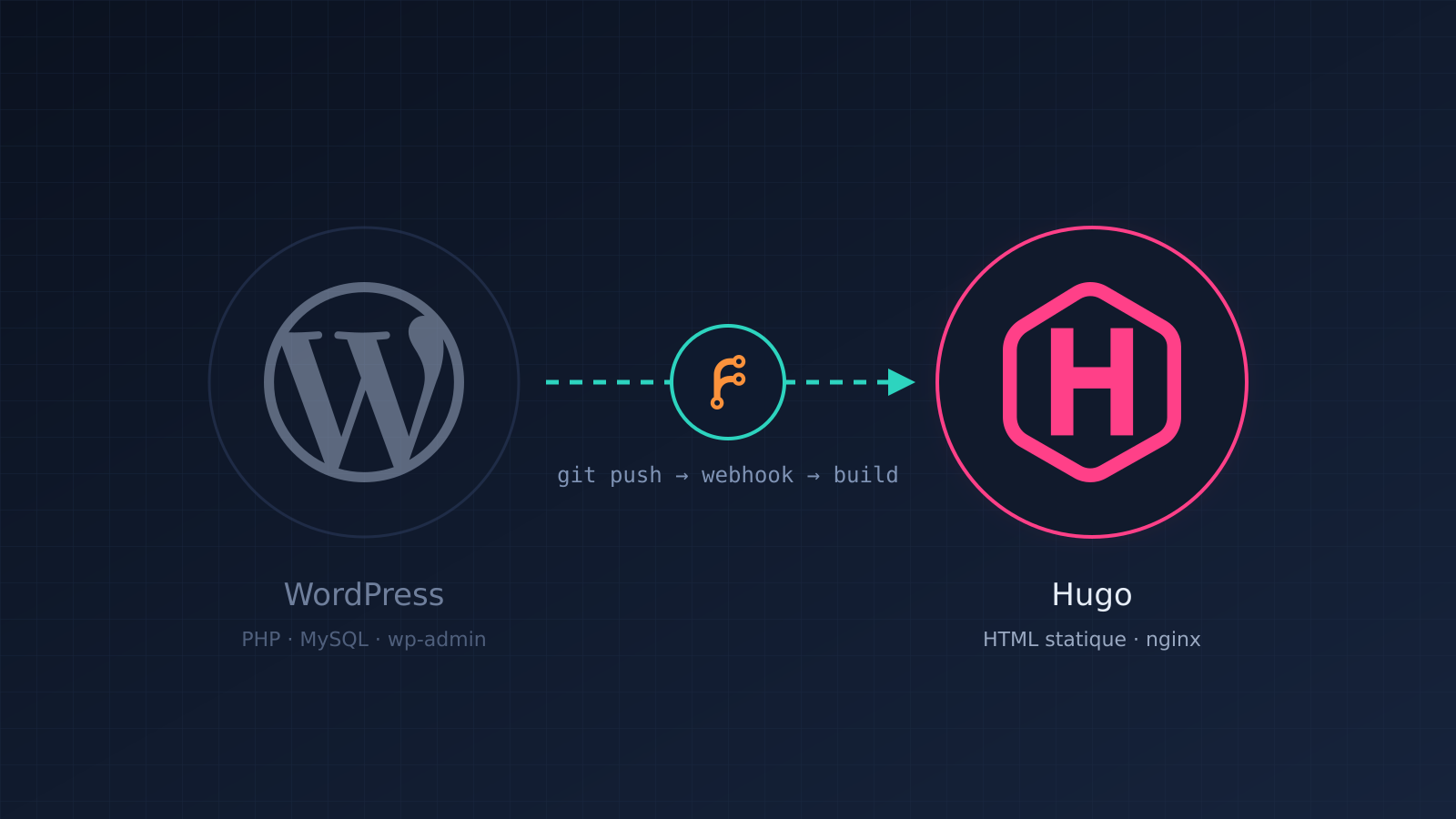
The blog you are reading ran on WordPress for a long time. Since September 22, 2026, it has been a static site generated by Hugo, and publishing an article comes down to a git push. Here is why I made this choice, how the publishing pipeline works, the pitfalls I ran into and, above all, what this migration changed for the security and hygiene of my homelab.
Why leave WordPress
WordPress is an excellent tool. It powers a huge share of the web, and for a site edited by several people, with roles, reviews and business-specific plugins, it makes perfect sense.
My need, however, is simple: a single author, no co-editing, text and a few images. For that, WordPress required:
- a PHP engine running code on every visit;
- a MySQL database to back up, update and monitor;
- an admin interface exposed to the Internet, a permanent target for bots;
- plugins and a theme, each with its own cycle of vulnerabilities and patches.
On top of that, my setup had deteriorated: the WordPress container was running without a pinned version, and the mysql:8.0 image had stopped receiving security fixes in April 2026. All of it was public. The item had been sitting in my backlog under the title “Decide what to do with WordPress”.
I had three options: migrate the database to a maintained version and keep maintaining a CMS of which I used barely a tenth, switch to a lighter CMS, or remove the dynamic part altogether. I chose the third.
Why Hugo
A static site generator takes text files (Markdown) and produces a site in plain HTML. Nothing needs to run when someone visits: the web server simply serves files.
I chose Hugo with the PaperMod theme: fast, mature, with no runtime dependencies. The alternatives I rejected, and why, are recorded in my architecture decisions:
- Ghost or WriteFreely: lighter than WordPress, but they bring back a database and a permanently running application process. That is exactly what I wanted to get rid of.
- Keeping WordPress and migrating MySQL: that meant continuing to maintain a service that had become oversized.
What inspired me
Two content creators convinced me to take the plunge.
Chris Titus Tech has long championed static sites over WordPress. His deliberately provocative video, WordPress is Dead | Static Sites are the Future, sums up the argument well: for a content site, a dynamic CMS is often more of a burden than a service. Fun fact: he has since moved from Hugo to Astro, another static site generator. The principle remains the same.
Christian Lempa, whose homelab and DevOps videos are a goldmine, shows in Building a static website in Markdown with Hugo how he himself left a traditional CMS for Hugo and Markdown. It is a very good starting point for getting hands-on.
Migrating the content
The content was exported with the wordpress-export-to-markdown tool: 17 articles and one page, with their images brought over. Two touch-ups were needed:
- the tool truncates the publication time, so I restored the dates by hand to keep the chronological order;
- the cover images needed adjusting to display correctly in the home page cards.
The Hugo repository was created in early September; the reverse proxy switched to the new site on the 22nd. WordPress stayed stopped but intact while I confirmed stability, then its containers and data were deleted, after a final ZFS snapshot.
The publishing pipeline
Here is what happens today when I publish an article:
Editor (VSCodium) ── git push ──▶ Forgejo ── webhook ──▶ Dockhand
                                  (self-hosted      (clone, build,
                                   Git forge)        redeploy)
                                                           │
                   Internet ──▶ reverse proxy ──▶ nginx container (static HTML)
Forgejo is a free, self-hosted Git forge running on my NAS. It replaces GitHub for this project: the blog’s source code stays at home. It is not exposed to the Internet, only to the local network and through my VPN.
Dockhand manages the Docker containers on the NAS. The blog stack is declared there as a “Git stack”: Dockhand knows the repository address, and Forgejo notifies it on every push through a webhook, a simple HTTP request sent automatically. Dockhand then clones the repository, rebuilds the image and redeploys the container.
The image itself is built in two stages, with a Dockerfile of just a few lines:
FROM hugomods/hugo:exts AS build
WORKDIR /src
COPY . .
RUN hugo --minify

FROM nginx:1.27-alpine
COPY --from=build /src/public /usr/share/nginx/html
The first stage generates the site with Hugo; the second keeps only the resulting HTML, served by a minimal nginx. Hugo is not in the final image: in production, there are only files and a web server.
This is what is called continuous deployment: between the moment I save an article and the moment it goes live, there is no manual step.
Pitfalls I ran into
Nothing worked the first time, and these details are often the ones that waste the most time. Here they are.
The first mechanism was too homemade. At first, a “bare” Git repository on the NAS and a script triggered on receipt (post-receive) rebuilt the site. It worked, but it was fragile and a pain to edit remotely. Forgejo and Dockhand replaced it.
The Docker build cache. Docker reuses already-built steps when it thinks nothing has changed. Result: a new article pushed… and missing from the site. The fix was to disable the build cache for this stack. The build takes a few seconds longer, but it always reflects the actual content of the repository.
The theme as a Git submodule. PaperMod was included as a submodule, and the clone made by Dockhand did not fetch it completely. I replaced the submodule with a copy of the theme tracked directly in the repository: less elegant, but no surprises.
Forgejo webhooks. Three settings cost me time:
- By default, Forgejo refuses to send webhooks to private IP addresses, to protect itself against SSRF-type attacks. But Dockhand is on my local network. It has to be allowed in
app.ini([webhook]section,ALLOWED_HOST_LISTparameter). The valueprivateallows the whole private network; restricting it to Dockhand’s exact address is stricter. - The default delivery timeout (5 seconds) was too short, because Dockhand only responds after processing the request. I raised it to 30 seconds (
DELIVER_TIMEOUT). - A webhook created in the account settings applies to all repositories. For a single project, create it in the repository settings.
The date in the future. The last pitfall is brand new: the previous article on this blog did not appear after publishing. It was dated 6 p.m. without a time zone, so in the future, and Hugo does not publish articles dated in the future. A correct date with its time zone (+02:00) fixed the problem.
A smaller attack surface
For me, this is the most important gain.
| Before (WordPress) | After (Hugo) | |
|---|---|---|
| What runs on every visit | PHP, MySQL queries | Nothing: files served by nginx |
| Database | MySQL, no security fixes since April 2026 | None |
| Admin interface | Public | None |
| Plugins and theme | Third-party code running server-side | Theme used only at build time |
| Content source | In the database | Git repository, not exposed to the Internet |
| Version of the public service | Not pinned | nginx pinned to 1.27 (the Hugo build image is not yet) |
A concrete example: the day after the switch, my detection system (CrowdSec) spotted a bot probing the blog in rapid bursts. It was looking for .env files, trying to climb the directory tree up to /proc/self/environ, and probing admin interfaces. All it got were 400 and 404 errors: there was nothing to find. It was banned for a few hours, and that was the end of it. Against a WordPress site, the same requests would have targeted code that actually runs.
A cleaner homelab
Beyond security, this migration lightened the whole setup:
- One less database to back up, monitor and update.
- One less unpinned public service, and an end-of-support database image removed.
- Versioned content. Every change is a commit, with its history and the ability to roll back. The repository lives on my NAS, which is itself replicated off-site, and there is a copy on my workstation.
- One backlog item closed. “Decide what to do with WordPress” moved to Resolved, the decommissioning followed, and the decision is documented with its alternatives. Only one trace remains to clean up: the copy of the old data on my backup NAS, which I am keeping for a few more weeks as a precaution.
The link with the homelab work
In the previous article, I described how I maintain my homelab with Claude: living documentation, a backlog, an incident log, recorded decisions. This migration fits exactly into that approach. It started as a backlog item and ended as a documented decision.
But there is a more direct link: a static blog in Git is an ideal format for working with an AI.
The previous article and this one were written by Claude directly in the repository, as Markdown files. I reviewed them the way you review code, then Claude committed and pushed them from my workstation, with my credentials. The pipeline did the rest.
With WordPress, the AI would have needed an account on the admin interface, or an API key with write access to a public service. Here, the AI needs none of that: it writes text files that I can review, compare and undo with a git revert. Least privilege, effortlessly.
The AI’s point of view
This section is written by Claude.
A site in a Git repository is ground where I am comfortable and where Etienne stays in control: every change is a readable diff, reviewed before publication, and reversible. That is healthier than access to an admin interface, for him and for me.
That said, the pipeline reviews nothing: it publishes whatever is pushed to it. The date mistake in the previous article was mine, and the pipeline faithfully published it… by not publishing it. Human review and post-deployment checks remain essential. I have made a habit of checking that the page responds once the push is done, rather than assuming everything went well.
In short
If your site has a single author and no dynamic needs, ask yourself: what does your CMS run, and for whom? In my case, the answer was “a lot of things, for nobody”. A static site generator, a self-hosted Git forge and a webhook gave me a faster blog that is easier to maintain, far less exposed, and a publishing pipeline I understand from end to end.